Migrations go wrong in predictable ways: DNS switched before the new environment works, databases broken by naive find-and-replace, or email silently dead after the move. This is the staging-first sequence we run on client sites — the same one behind our zero-downtime migration case study.
Phase 1 — Prepare (1–2 days before)
- Full backup of files and database from the source host — and prove it restores
- Lower DNS TTL to 300s about 24h before cutover
- Note every external integration: payment webhooks, SMTP, cron, APIs with IP allowlists
- Freeze content changes for the cutover window (or schedule around your quiet hours)
Phase 2 — Build the staging copy (the core of zero downtime)
- Set up the new host fully first: PHP version, memory, SSL, server cache.
- Copy files and database across. For large sites use server-to-server transfer — never a browser download of a 2 GB zip.
- Update
wp-config.phpwith the new database credentials. - Run a serialization-safe URL replace. Plain SQL
UPDATE … REPLACEonwp_optionscorrupts serialized values — use WP-CLI:
wp search-replace 'https://old-domain.com' 'https://new-domain.com' --all-tables --precise
wp search-replace '/home/olduser/' '/home/newuser/' --all-tables --report
The --precise flag is slower but unserializes PHP values before replacing — the difference between a clean migration and a options table full of broken length counts.
Phase 3 — Verify on staging
- Click through critical flows: checkout with a real test transaction, forms, logins, search
- Check
debug.logand hosting error logs for fatals - Confirm cron, scheduled posts and payment webhooks fire
- Grep for old-domain references the replace missed (widgets, shortcodes, hard-coded content)
Phase 4 — Cutover (minutes, not hours)
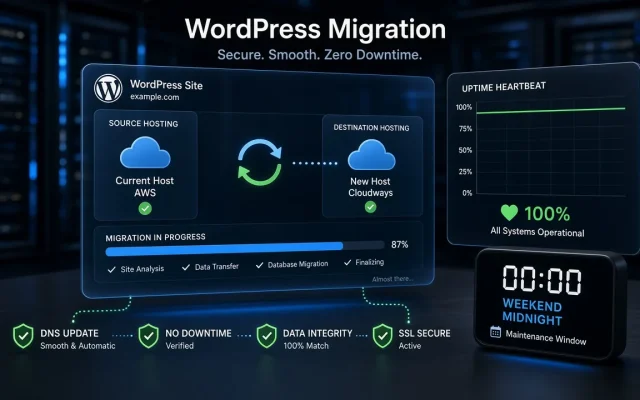
With the staging copy verified, the “switch” is one DNS record change to the new server. Because the old site keeps running untouched until you repoint DNS, visitors see zero downtime. Do it in your quiet hour, keep the old hosting account live (do not cancel yet), and watch:
- First orders/logins on the new host
- SSL certificate serving correctly on every hostname
- Email sending (SMTP) and receiving (contact forms)
Phase 5 — Aftercare
- Keep the old host running 7 days as an emergency rollback
- Submit the sitemap again; verify Search Console sees the new host serving
- Watch error logs daily for a week — migrations surface lazy integrations late
Want this handled end to end? Our WordPress migration service runs exactly this playbook with a written rollback plan — or start with the free audit and we will assess your current host for free.
Frequently asked
Yes — edit your local hosts file to preview the new server before DNS changes. It is the standard way to verify a staging copy that will become production.Can I migrate without changing DNS, e.g. hosts file testing?
How much does a professional migration cost?