Ask ten people “how fast is fast enough” and you get ten opinions. Google’s Core Web Vitals replaced the opinions with three measurable thresholds — and once you know which metric blames which layer, optimization stops being guesswork. Here is the practical translation for WordPress sites.
The three metrics and their thresholds
| Metric | Measures | Good | Poor |
|---|---|---|---|
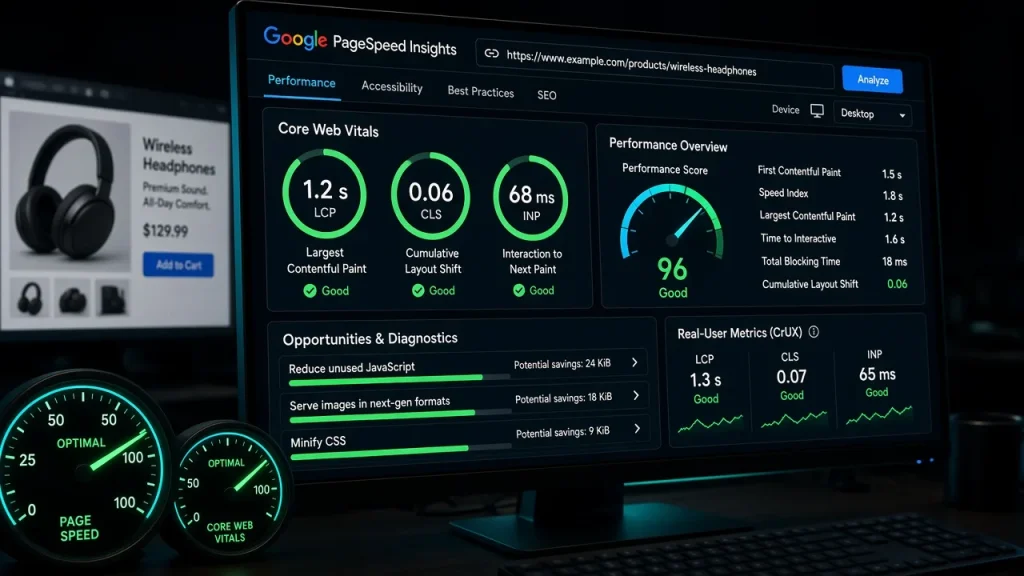
| LCP (Largest Contentful Paint) | When the biggest visible element renders | ≤ 2.5s | > 4.0s |
| INP (Interaction to Next Paint) | Responsiveness when visitors interact | ≤ 200ms | > 500ms |
| CLS (Cumulative Layout Shift) | Visual stability — do things jump around | ≤ 0.1 | > 0.25 |
Google grades 75% of your real visitors” experiences, on mobile primarily. Lab tools approximate; field data (CrUX, Search Console) is the verdict.
What each metric actually blames
- LCP is the hosting + theme metric. The largest element is usually a hero image or headline. TTFB (server/cache — see the caching guide), render-blocking assets, and image weight decide it. If your uncached TTFB is 600ms and your theme ships 400KB of CSS before the hero can paint, LCP is doomed regardless of plugins.
- INP is the JavaScript metric. Heavy scripts block the main thread; clicks feel dead. This is where script unloading and third-party widgets (chat, analytics) make visible differences.
- CLS is the discipline metric. Images without dimensions, ads and banners injected late, fonts swapping. Mostly fixable in an afternoon with width/height attributes and font-display settings from the font-loading guide.
Realistic targets by site type
- Content/blog: LCP ≤ 1.8s cached, INP fine unless you stacked third-party scripts.
- WooCommerce: LCP ≤ 2.5s on category and product pages — harder because of cart fragments and logged-in variation (the analysis in the store performance test).
- B2B lead-gen: the thresholds in our B2B benchmarks — sub-second LCP pays in quote conversions.
How to measure honestly
- Field data first: Search Console’s Core Web Vitals report and PageSpeed Insights” “Origin Summary” show what real users experience.
- Lab second: WebPageTest with a mid-tier mobile profile shows why — the waterfall names the offender.
- Measure uncached too: caching flatters lab numbers; crawlers and first-time visitors still pay the uncached price — the tax analyzed in the theme diagnostic.
The fix priority that actually moves numbers
Order matters more than effort: page cache → image optimization (especially the LCP image) → theme weight → script diet → font loading. Teams that start with script micro-optimizations while shipping 600ms TTFB stay slow. The free audit measures all three vitals and ranks your specific offenders in this order.
LCP under 2.5s, INP under 200ms, CLS under 0.1 — measured on 75% of real visitors, mostly mobile. Content sites should target LCP under 1.8s with proper caching. LCP — it compounds hosting, caching, theme weight, and image delivery. INP is usually one script audit away; CLS is often an afternoon of image dimensions and font settings. They are a ranking signal within the page-experience system — meaningful in ties, not a magic boost. The conversion impact of speed typically outweighs the ranking impact. Real-user data (field) decides your search standing; lab data explains why. Chase field thresholds, use lab waterfalls to find the offenders.What is a good Core Web Vitals score for WordPress?
Which Core Web Vital is hardest to fix?
Do Core Web Vitals affect SEO rankings?
Should I optimize for lab scores or real-user data?