A retail store breach leaks credit card attempts and gets you a bad week. A B2B store breach leaks your customer list, negotiated price sheets, and order history — the kind of data a competitor pays for. The security work differs accordingly. These are the 12 steps we apply on every wholesale and B2B build, roughly in order of leverage.
The 12 steps
- Lock down admin access. Unique accounts, no shared logins, and 2FA for everyone with shop_manager or above. Shared procurement logins are the most common hole we find.
- Limit login attempts and monitor the admin URL. Moves the noise out of your logs so real signals show.
- Keep the patching cadence honest. Weekly plugin updates in a staging-first flow. Abandoned plugins are the number one breach vector we find in audits.
- Separate roles properly. Buyer accounts must not see other customers’ data. Test the My Account pages with a real low-privilege user — the enterprise checklist covers what procurement looks for.
- Encrypt backups, test restores. A backup you have never restored is a hope, not a plan.
- Harden uploads. Block PHP execution in wp-content/uploads; check that no plugin left a shell in there (it happens).
- Rate-limit the checkout and login endpoints. Card testing attacks against WooCommerce are constant background noise.
- API keys with least privilege. WooCommerce REST keys for the ERP integration should be read/write only on what they need — see the ERP integration guide for scoping.
- WAF in front. A managed WAF (Cloudflare or similar) catches the spray-and-pray attacks before they reach WordPress.
- Log admin actions. When something odd happens — prices changed, roles edited — you need the audit trail.
- File integrity monitoring. Know when core or plugin files change outside of updates.
- An incident plan on paper. Who restores, who notifies customers, who talks to the vendor. Written before it is needed.
The B2B-specific one most people miss
Price visibility rules and per-user pricing are security-adjacent. If a plugin update breaks role checks, your negotiated prices can leak to logged-out visitors — and search engines will index them. Add a monthly check: browse the store as a guest and confirm no wholesale pricing appears anywhere, including page sources and structured data.
Where to start this week
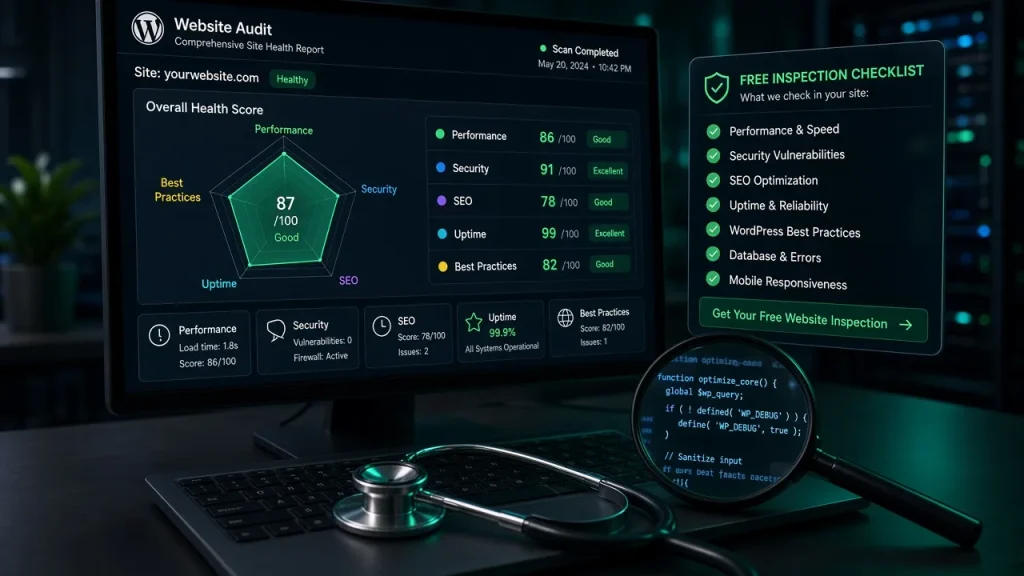
Steps 1–5 take an afternoon and close the most common doors. Our free audit checks the patching status, admin hygiene, and upload security automatically and returns the gaps as a list. For the performance side of the same coin — because some “security hardening” plugins wreck speed — pair this with the slow-theme guide.
Core WooCommerce is well-maintained, but B2B risk lives in the plugin stack, shared logins, and pricing visibility rules. Those need deliberate configuration beyond defaults. Weekly, with a staging-first flow. Daily is overkill for most stores and encourages skipping tests; monthly leaves too long a window for known exploits. Negotiated price sheets leaking when role-based pricing rules break after an update. Check logged-out browsing of your store monthly, including page source and structured data. They do different jobs. A WAF filters traffic before it reaches WordPress; security plugins scan and harden from inside. For stores handling contract data, use both.Is WooCommerce secure enough for B2B by default?
How often should we update plugins on a B2B store?
What is the biggest B2B-specific security risk?
Do we need a WAF if we already use security plugins?