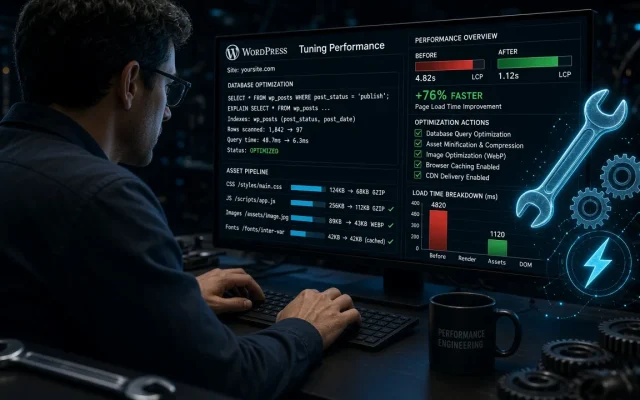
Every performance checklist orders a database cleanup. We wanted the claim tested at three realistic scales — a small blog (40 MB), a mid-size business site (380 MB), and a WooCommerce store with a 2.1 GB database — to see where cleanup helps and where it is ritual.
What we cleaned and what changed
Using WP-CLI equivalents of what cleanup plugins do (plus one popular plugin for the plugin-route comparison):
| Database | Revisions removed | Transients removed | Before → after queries/page | Real effect |
|---|---|---|---|---|
| 40 MB blog | 1,200 | 89 | No change | None measurable |
| 380 MB business | 14,000 | 2,300 | 3 fewer | ~5ms |
| 2.1 GB store | 31,000 | 40,000+ | 11 fewer | ~40ms + faster admin |
Where the claim is real
- Large stores: expired action-scheduler transients and orphaned order metadata genuinely bloat queries. 40ms on uncached pages plus a snappier admin is worth the hour.
- Autoloaded options: the finding that matters at every scale — we found a 2.4 MB autoloaded option on the “small” blog that cleanup plugins missed entirely. It cost ~15ms on every page load, cached or not. Check it with
wp db query "SELECT SUM(LENGTH(option_value)) FROM wp_options WHERE autoload='yes'"; anything over 800 KB needs surgery, and the plugin diagnostic identifies the culprit plugin.
Where it is placebo
Post revisions on small sites: MySQL handles 1,200 extra rows without noticing. Cleanup marketing shows “36 MB saved!” — irrelevant to page speed. Your slow site is slow because of theme weight and missing caching, not revisions.
Which plugin (if you want one)
- WP-Optimize — scheduled cleanups, transient handling, the full toolkit; occasionally over-aggressive with its defaults, review settings.
- Advanced Database Cleaner — better orphaned-metadata detection for stores.
- WP-CLI (free, precise):
wp post delete $(wp post list --post_type=revision --format=ids) --allow-root— what we actually use.
Meaningfully only on large databases (1 GB+) — our 2.1 GB store gained ~40ms per uncached page. Small sites see no measurable change; the advice is mostly ritual below ~500 MB. Options loaded on every request. If autoloaded data exceeds ~800 KB, every page pays a tax — we found a 2.4 MB option costing 15ms sitewide. Audit and trim it before any cleanup plugin. Yes — revisions are historical copies. Keep a backup, then delete freely. Their performance impact is negligible on small sites regardless. WP-CLI is precise and free for one-off cleanups; WP-Optimize suits scheduled maintenance on stores. Either way, target transients and orphaned metadata, not revisions.Do database cleanup plugins speed up WordPress?
What is autoloaded data in wp_options?
Is it safe to delete post revisions?
Which is better: a cleanup plugin or WP-CLI?