WordPress email fails quietly. Password resets vanish, WooCommerce order confirmations never arrive, contact forms go silent — and because the form page still says “Thank you”, nobody notices for weeks. We debug mail on a large share of client sites; the causes repeat so reliably that this checklist resolves nearly every case.
Why wp_mail() usually fails
- PHP mail() is the root problem. WordPress defaults to your server’s mail function — no authentication, whatever From header PHP defaults to. Modern receiving servers (Gmail, Outlook) score it as spam or reject it outright. Deliverability research across the industry is unanimous: authenticated SMTP wins.
- Missing DNS records. Even with correct SMTP, sending domains without SPF/DKIM/DMARC records fail alignment checks at Gmail and Microsoft. This is a DNS panel fix, not a plugin fix.
- The From-header trap. Plugins setting a From address that doesn’t match the sending domain trips DMARC alignment. Use the same domain for sending and From, always.
The fix, in order
- Install an SMTP plugin (WP Mail SMTP, FluentSMTP, Post SMTP — functionally equivalent for this purpose) and connect a real mail provider: your host’s SMTP, a transactional service (Postmark, Brevo, SES), or Google Workspace SMTP. Credentials, port 587, STARTTLS.
- Send a test email to your own Gmail and check the spam folder — arriving in spam means DNS work remains.
- Add DNS records for your sending domain: SPF includes your provider’s record, DKIM keys from the provider, DMARC at least at
p=nonewith reporting to observe. These are copy-paste records the providers document. - Verify alignment: send to a Gmail account and use “Show original” — the authentication results line shows SPF/DKIM/DMARC pass/fail. All three green = done.
Diagnosing what already broke
- Turn on the SMTP plugin’s logging — most keep a send log with the SMTP server’s rejection message. “Authentication failed” vs “relay denied” vs “spam detected” point at different fixes.
- Forms that “send” but never arrive: the form works, mail does not — same checklist. The scenario analysis for quote flows is in the quote-request guide.
- Emails arriving in spam only: DNS records. Not the plugin, not the content — alignment.
- Only some recipients missing: often Microsoft/Outlook-specific rejection; their bulk-sender requirements are stricter. The provider’s DMARC/SPF documentation covers it.
What this fixes beyond email
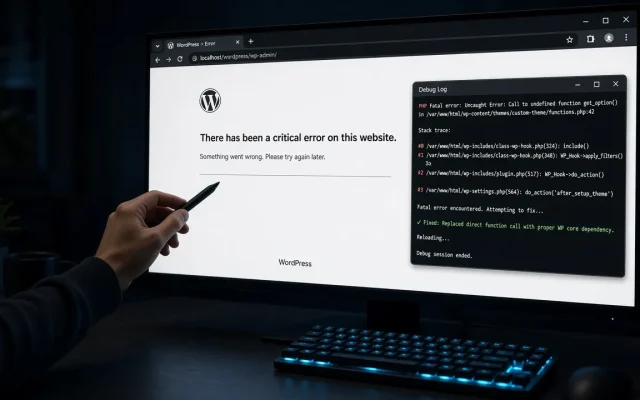
Recovery-mode emails (see the critical error guide) only work if mail delivers — fixing SMTP restores your safety net. For B2B sites, email is the product: quote requests, order notifications, license keys. The free audit tests your site’s mail configuration as part of its stack review.
Usually missing or misaligned DNS records: SPF, DKIM, and DMARC must all pass for the sending domain. Configure authenticated SMTP first, then add the provider's DNS records. Yes for anything that matters — PHP mail() sends unauthenticated mail that major providers filter aggressively. An SMTP plugin plus real credentials is the baseline fix. Use the SMTP plugin's built-in test send to a Gmail address, then inspect it via 'Show original' — the authentication results show SPF/DKIM/DMARC pass or fail with reasons. A transactional service (Postmark, Brevo, Amazon SES) for reliability beyond ~hundreds of mails daily. Hosting SMTP works for low volume; Gmail SMTP hits sending caps quickly. Because wp_mail() was failing before the error did — the fatal-error handler uses the same broken mail path. Fix SMTP deliverability and the safety net restores itself.Why are my WordPress emails going to spam?
Do I really need an SMTP plugin?
How do I test WordPress email sending?
Which SMTP provider should I use?
Why did the recovery mode email never arrive?