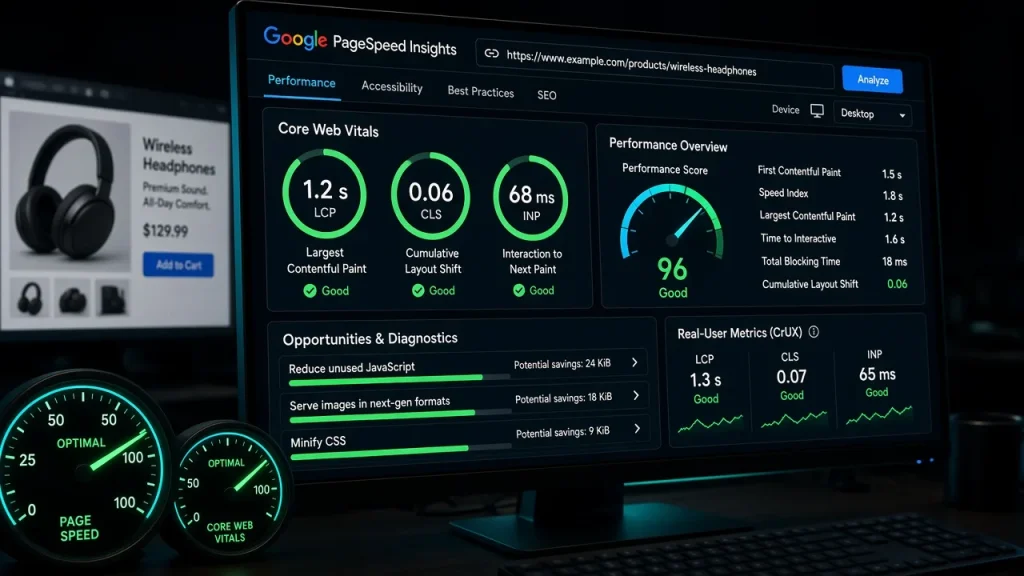
Speed optimization fails when it happens in random order: teams tweak scripts while the site still lacks a page cache, or buy CDNs while shipping 600KB of unused CSS. This checklist is ordered by dependency — each step assumes the ones before it — and it is the sequence our audits follow. Roughly 30 checks, grouped in six phases.
Phase 1: Measure honestly (before touching anything)
- Baseline Core Web Vitals from field data (Search Console) — the thresholds in the CWV guide.
- Lab waterfall (WebPageTest, mid-tier mobile) — record TTFB, LCP element, total weight.
- Test cached and uncached URLs separately — caches flatter numbers and hide the real tax.
Phase 2: Caching (the foundation)
- Page cache present and exclusive? One layer only — plugin or server-level, never both (the layer conflicts in the caching guide).
- Cached TTFB under 200ms? If not, the cache is not actually serving.
- Exclusions correct? Cart, checkout, account, member pages — verify with logged-in tests.
- Cache purges on publish? Edit a post, check the front end immediately.
Phase 3: Images (usually the biggest LCP win)
- All images WebP/AVIF? Count legacy JPEG/PNG in uploads.
- LCP image eager and preloaded? Lazy-loaded hero images are the classic self-inflicted LCP wound (documented in the optimizer comparison).
- Images sized to their containers? A 2000px file in a 400px slot is wasted bytes on every view.
- Dimensions set? Missing width/height attributes cause CLS — free fix.
Phase 4: Theme weight (the structural tax)
- CSS coverage: what share of shipped CSS does the page use? Under 60% means theme bloat — measure with the method in the coverage audit.
- Uncached page weight: under ~350KB total is a healthy target for content pages.
- DOM size: builders routinely produce 2,000+ node pages; each node costs parse time.
- Uncached LCP: if it stays past 3s after this phase, the theme is the bottleneck — see the switch framework.
Phase 5: Scripts and fonts
- Third-party script inventory: chat widgets, analytics, trackers — each with weight and whether it blocks (the pattern in the third-party guide).
- Scripts the page does not need unloaded per-template — the tooling in the script manager comparison.
- Fonts: count files loaded vs used; preload one; self-host — the font guide.
Phase 6: Server and data layer
- PHP version current? Each major PHP release is measurably faster.
- Object cache available and connected? Redis/Memcached for logged-in and uncached paths — setup here.
- Autoloaded options under 800KB? The every-request tax described in the DB test.
- wp-cron on real cron? Visitor-triggered cron adds latency to random page loads.
- CDN for static assets if the audience is international — measured honestly in the CDN comparison.
The report format that drives fixes
Each finding gets three fields: the metric, the cost (in ms or KB), and the fix owner. That turns a 30-item list into a ranked backlog — usually five items cover 80% of the gap. The free audit runs this exact sequence and returns the ranked version.
Page caching — it is the foundation every other optimization sits on. Cached TTFB under 200ms is the gate; everything else builds on it. The 30-check audit runs in 1–2 hours; implementing the top five findings typically takes a day and covers most of the gap to Core Web Vitals thresholds. Layers mask each other: a CDN behind a missing page cache measures as failure, and script micro-optimizations vanish under a 600ms TTFB. Dependency order prevents wasted effort. Under 200ms cached (ideally double digits), under 600ms uncached on shared hosting. Consistently slower numbers point to cache or hosting problems before any theme issue.What is the first thing to fix on a slow WordPress site?
How long does a full speed optimization take?
Why optimize in a specific order?
What TTFB should a well-configured WordPress site have?