“Error establishing a database connection” is WordPress saying: I know where the database should be, I knocked, nobody answered (or the key did not fit). It has exactly four causes, and each has a distinct test. Work through them in order — the first two resolve most incidents.
Cause 1: The database server is down or overloaded
The most common cause on shared hosting: MySQL crashed, restarted, or is throttled under load.
- Test: does a static asset load while the page fails? If images/CSS serve fine but pages fail, the web server is alive and the DB layer is the problem.
- Fix: restart MySQL from the hosting panel (or
systemctl restart mysqlon a VPS). If it crashes again quickly, the real problem is resource exhaustion — a runaway query, an import job, or simply too little RAM for the traffic. Hosting support logs identify the query; the fix ranges from raising memory to adding an object cache to reduce DB pressure.
Cause 2: Wrong credentials in wp-config.php
Happens after host migrations, password rotations, or panel upgrades.
- Test: from SSH,
mysql -u DB_USER -p DB_NAMEwith the values from wp-config.php. “Access denied” = credentials; “Can’t connect” = server (cause 1). - Fix: correct
DB_NAME,DB_USER,DB_PASSWORD,DB_HOSTin wp-config.php.DB_HOSTis often notlocalhoston managed hosts — use the panel’s stated value.
Cause 3: Corrupted database tables
After an interrupted update or a crash mid-write, tables corrupt and WordPress can connect but gets errors — or fails entirely.
- Fix (WP-CLI, our preferred):
wp db check --allow-rootlists damaged tables;wp db repair --allow-rootfixes them. - Fix (no SSH): add
define( 'WP_ALLOW_REPAIR', true );to wp-config, visityoursite.com/wp-admin/maint/repair.php, run the repair, then remove the line — the page is unauthenticated and must not stay public. - If repair fails: restore the database from the last tested backup. This is the scenario backups exist for.
Cause 4: The database is fine but overwhelmed
Connections cap out (“too many connections”): every PHP worker holds a DB connection, traffic spikes, MySQL refuses new ones. Symptoms: error appears under load spikes and clears when traffic drops.
- Fix: add page caching (the layers in the cache comparison cut DB connections per visit dramatically), and check for plugins opening connections wastefully. Persistent object caching offloads further.
Recovery order that minimizes downtime
- Restart MySQL (fast, often sufficient).
- If it recurs: check credentials (2 minutes via wp-config test).
- Repair tables.
- Still failing: hosting support with your findings; restore from backup as the last resort.
Prevention
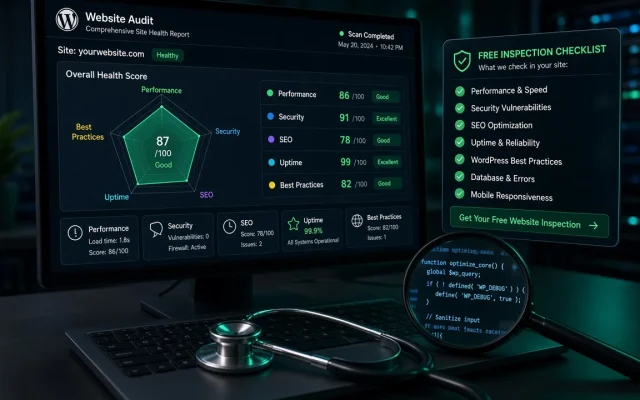
Database connection failures are largely a hosting-quality symptom: adequate RAM, sensible connection limits, and monitoring. If this error recurs monthly, that is a hosting conversation, not a plugin hunt. The free audit measures DB headroom as part of its infrastructure review.
Four causes: MySQL down or overloaded, wrong credentials in wp-config.php, corrupted tables, or connection limits exhausted under traffic. Restarting MySQL resolves most incidents. With WP-CLI: wp db check then wp db repair. Without SSH: add WP_ALLOW_REPAIR to wp-config and visit /wp-admin/maint/repair.php — then remove the line, it is unauthenticated. Yes — managed hosts often require a specific host value (an internal hostname or IP) instead of localhost. Copy it exactly from the hosting panel's database page. Connection exhaustion: every PHP worker holds a database connection until MySQL's limit. Page caching cuts connections per visit dramatically and usually ends the pattern.What causes 'Error establishing a database connection'?
How do I repair corrupted WordPress database tables?
Can wrong DB_HOST cause this error?
Why does the error appear only during traffic spikes?